
How to Extend an Expired Squarespace Trial
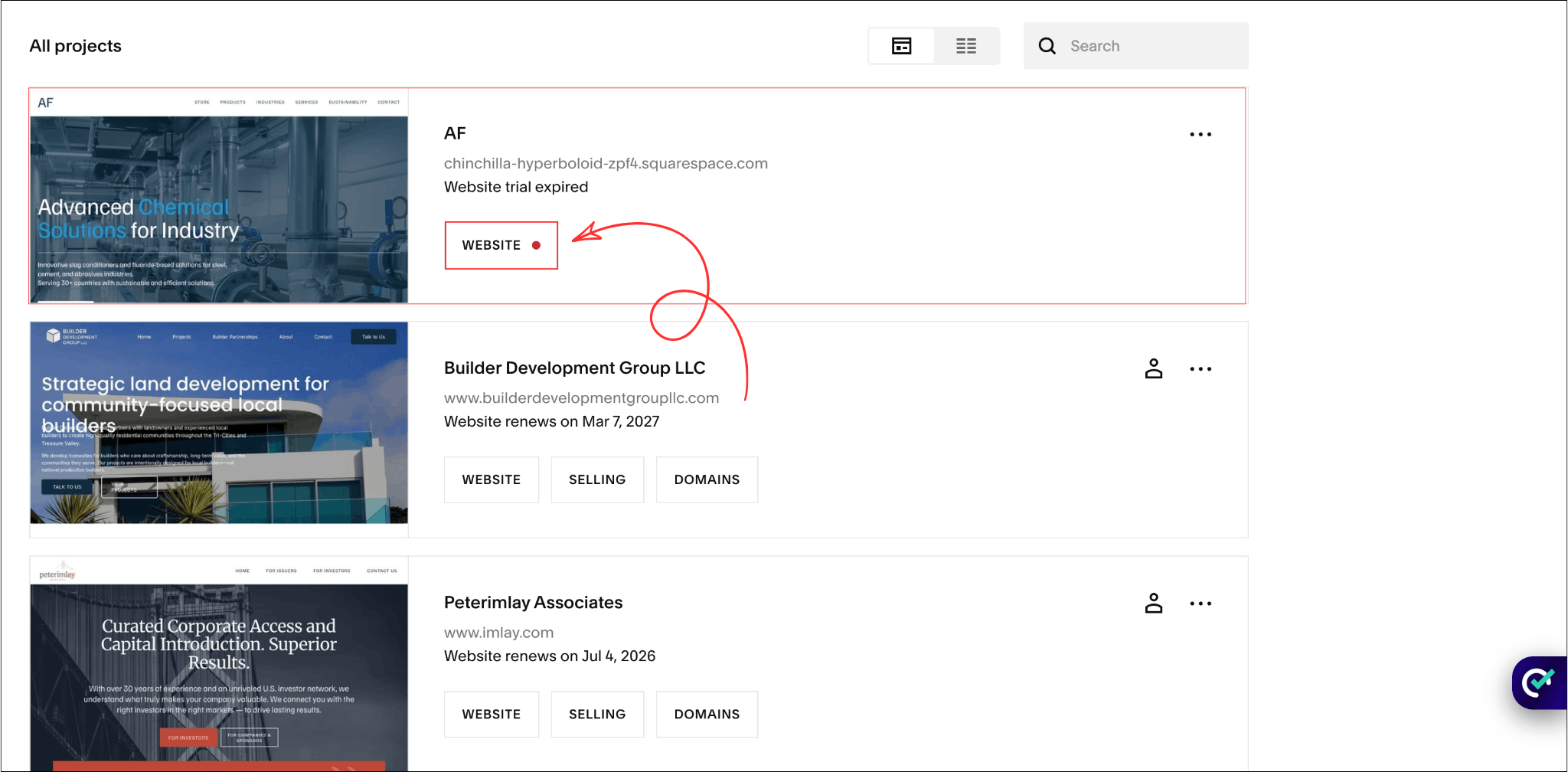
Has your Squarespace trial expired before you finished building your website? If so, you're not alone. Many website owners find that 14 days isn't enough time to design pages, write content, set up SEO, and prepare their site for launch.
To help with this, we've created a simple Squarespace Trial Extension Tool. Just paste your Squarespace URL below and click the button to open the extension page.
Extend your Squarespace trial
Paste your Squarespace built-in URL below and click the button to open the extension page.
Only paste the URL before /config — for example:
https://denim-eagle-xftk.squarespace.com/
Do not paste your custom domain. Use the .squarespace.com address only.
How Long Is the Squarespace Free Trial?
A standard Squarespace free trial lasts for 14 days.
When the trial expires, Squarespace usually sends an email with the option to extend your trial by an additional 7 days. This gives you a total of 21 days to continue building your website before choosing a paid plan.
If you receive the email, simply click the extension link and follow the instructions provided by Squarespace.
How to Extend an Expired Squarespace Trial
The easiest way to extend Squarespace trial access is by using the Squarespace Trial Extension Tool above. Simply paste your built-in Squarespace URL (for example, https://your-site.squarespace.com/) and open the extension page. Make sure you use your original .squarespace.com domain and not a custom domain.
Squarespace may also send you an email after your Squarespace free trial expires. The email usually comes from customercare@squarespace.com with the subject line: "Your trial has expired. Need more time?".
If you receive this email, open it and click the "Extend your trial by seven days" link. You'll be taken to a confirmation page, and once you return to your website, you'll be able to continue working on your existing Squarespace trial for another 7 days.
If you've missed the email or need a quick solution, the Trial Extension Tool above is the fastest way to check whether your website is eligible for a Squarespace trial extension.

Need Help with Your Squarespace Website?
Book a free kick-off call to discuss your project requirements in detail. Whether you're launching a new Squarespace website, redesigning an existing one, or looking to improve functionality and user experience, we'll help you explore the best options for your goals.
How to Extend an Expired Squarespace Trial Beyond 21 Days
If your Squarespace free trial has already been extended and you still need more time, you have a few options.
You can contact Squarespace Support and request a Squarespace trial extension, although approval isn't guaranteed. Another option is to duplicate your existing site, which gives you a fresh 14-day Squarespace trial without having to rebuild everything from scratch.
If you regularly build websites, consider joining Squarespace Circle. Circle members can create sites with longer trial periods than the standard Squarespace free trial, making it easier to build and launch websites before upgrading.
You can also use the Extend Squarespace Trial Tool above. Simply paste your Squarespace URL, and the tool will open the extension page for your website. For most users, this is the fastest way to extend Squarespace trial access and get more time to finish their site.
Will Squarespace Delete My Website After the Trial Expires?
No.
Squarespace does not immediately delete your website when the trial ends.
Your website data is typically kept for a period of time after expiration. This means your pages, images, and content are usually still available if you later extend the trial or upgrade to a paid plan.
Frequently Asked Questions
Can You Extend Squarespace Free Trial?
Yes. Squarespace offers a standard 14-day free trial and may provide a one-time 7-day extension through email after the trial expires.
How Many Times Can I Extend a Squarespace Free Trial?
According to Squarespace, the standard free trial can be extended once for an additional 7 days. This gives you a total of 21 days.
If you need more time after that, you may be able to request additional time through Squarespace support or use websites created through Squarespace Circle, which can have longer trial periods.
What Happens When the Squarespace Trial Expires?
Your website becomes inactive and you cannot continue editing it unless you extend the trial or purchase a plan.
Will My Content Be Saved?
Yes. Squarespace typically keeps your website content for a period of time after the trial expires, allowing you to reactivate your site later.
What Is the Difference Between a Standard Trial and a Squarespace Circle Trial?
A standard Squarespace trial lasts 14 days. Squarespace Circle websites can receive significantly longer trial periods, making them popular among web designers and agencies.
Final Thoughts
If your Squarespace trial has expired, don't panic.
Most users either use the official extension offered by Squarespace or request additional time before upgrading. If you simply need a quick way to access the extension page, use the Squarespace Trial Extension Tool above and continue working on your website.
A few extra days can make a big difference when you're trying to launch a professional website. And before launching, make sure your website includes a clear way for visitors to get in touch with you.
You May Also Like;



Does your Squarespace website look good on desktop but feel awkward on a phone? Learn how to fix common mobile layout issues, improve navigation, and test the experience before visitors arrive.