How to Add a Contact Form in Squarespace

A contact form is one of the most important elements of any website. Whether you're running a business website, portfolio, blog, or online store, a contact form makes it easy for visitors to reach you without exposing your email address publicly.
The good news is that adding a contact form in Squarespace is incredibly simple. Squarespace includes a built-in Form Block that allows you to create professional contact forms without any coding.
In this guide, you'll learn how to add a contact form in Squarespace, customize it to match your website, and follow best practices to improve user experience and generate more inquiries.
Why Every Squarespace Website Needs a Contact Form
A contact form creates a direct communication channel between you and your visitors. Instead of asking people to open their email application and manually write a message, a contact form allows them to contact you instantly from your website.
Benefits of adding a contact form to your Squarespace website include:
Makes it easy for visitors to contact you
Helps generate more leads and inquiries
Reduces spam compared to displaying your email address publicly
Creates a more professional appearance
Collects important information from potential clients
Improves the overall user experience
Whether you're a service provider, consultant, freelancer, or business owner, a contact form can help turn website visitors into customers.

Need Help with Your Squarespace Website?
Book a free kick-off call to discuss your project requirements in detail. Whether you're launching a new Squarespace website, redesigning an existing one, or looking to improve functionality and user experience, we'll help you explore the best options for your goals.
How to Add a Contact Form in Squarespace
Step 1: Open the Page Editor
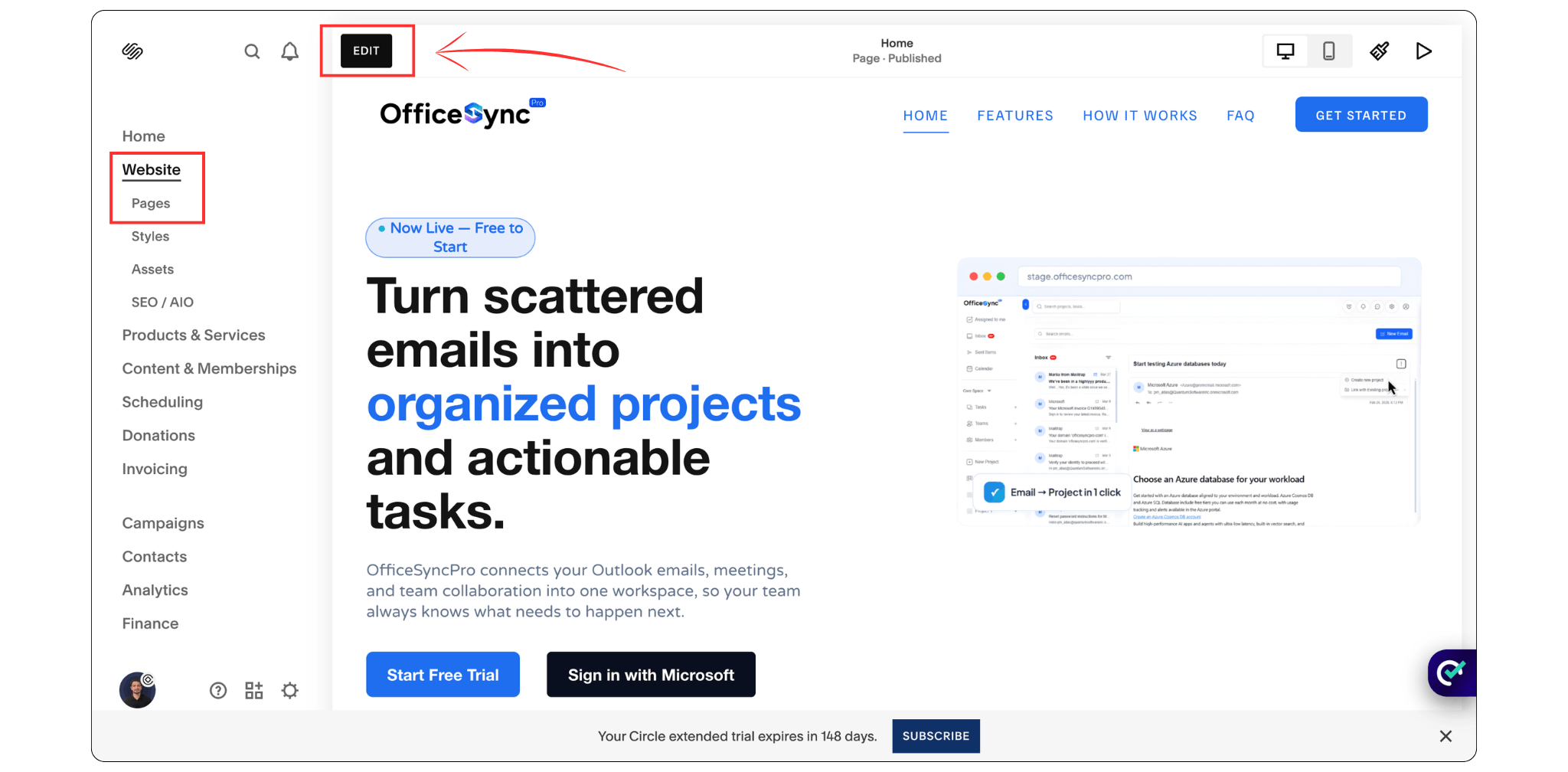
Log in to your Squarespace dashboard and navigate to the page where you want to add the form.
Click Edit at the top left of the page to open the page editor.
Step 2: Add a Form Block
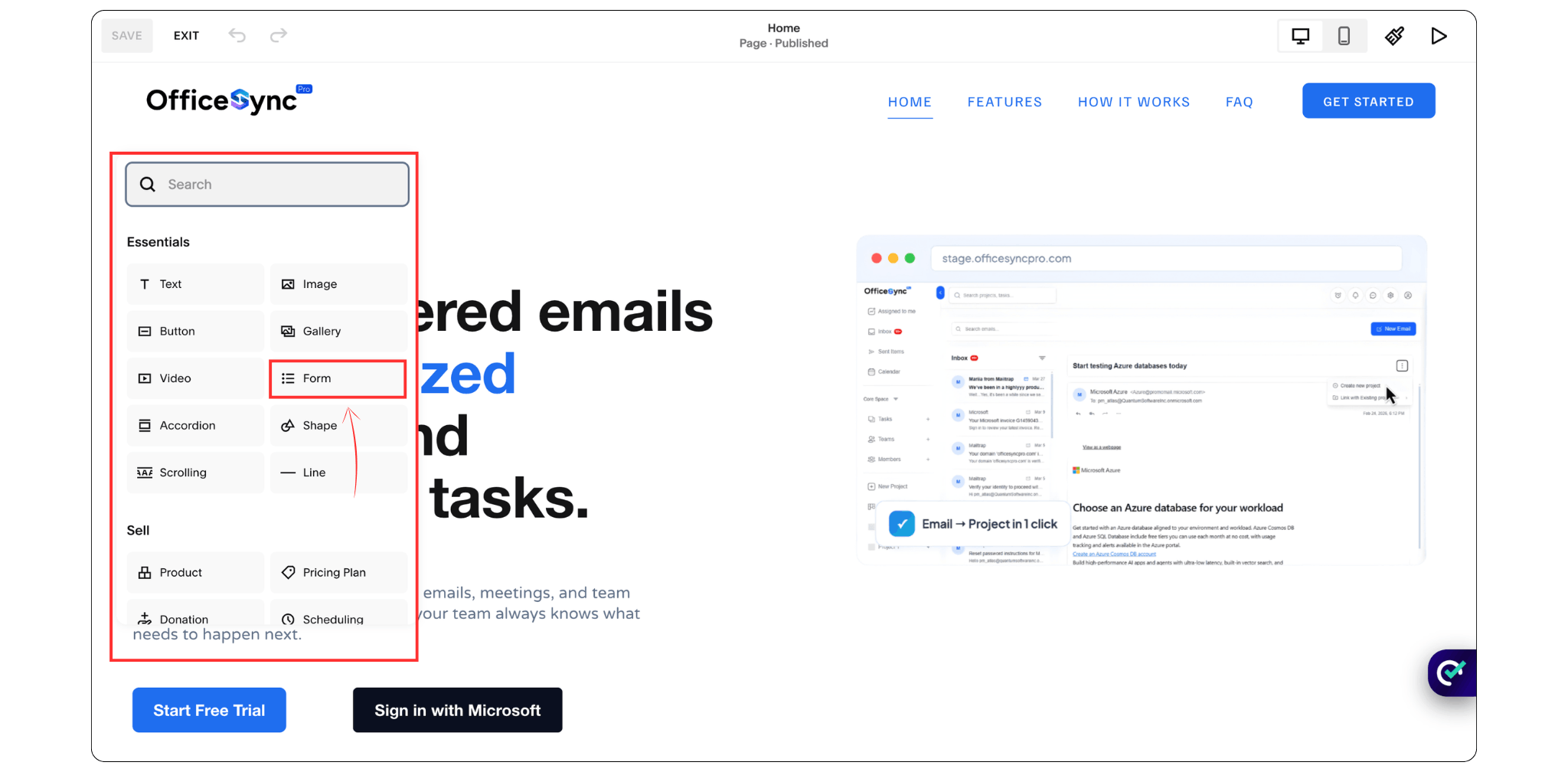
Hover over the section where you'd like the contact form to appear.
Click the + Add Block button and select Form from the available block options.
Squarespace will automatically insert a form onto the page.
Step 3: Customize Your Form Fields
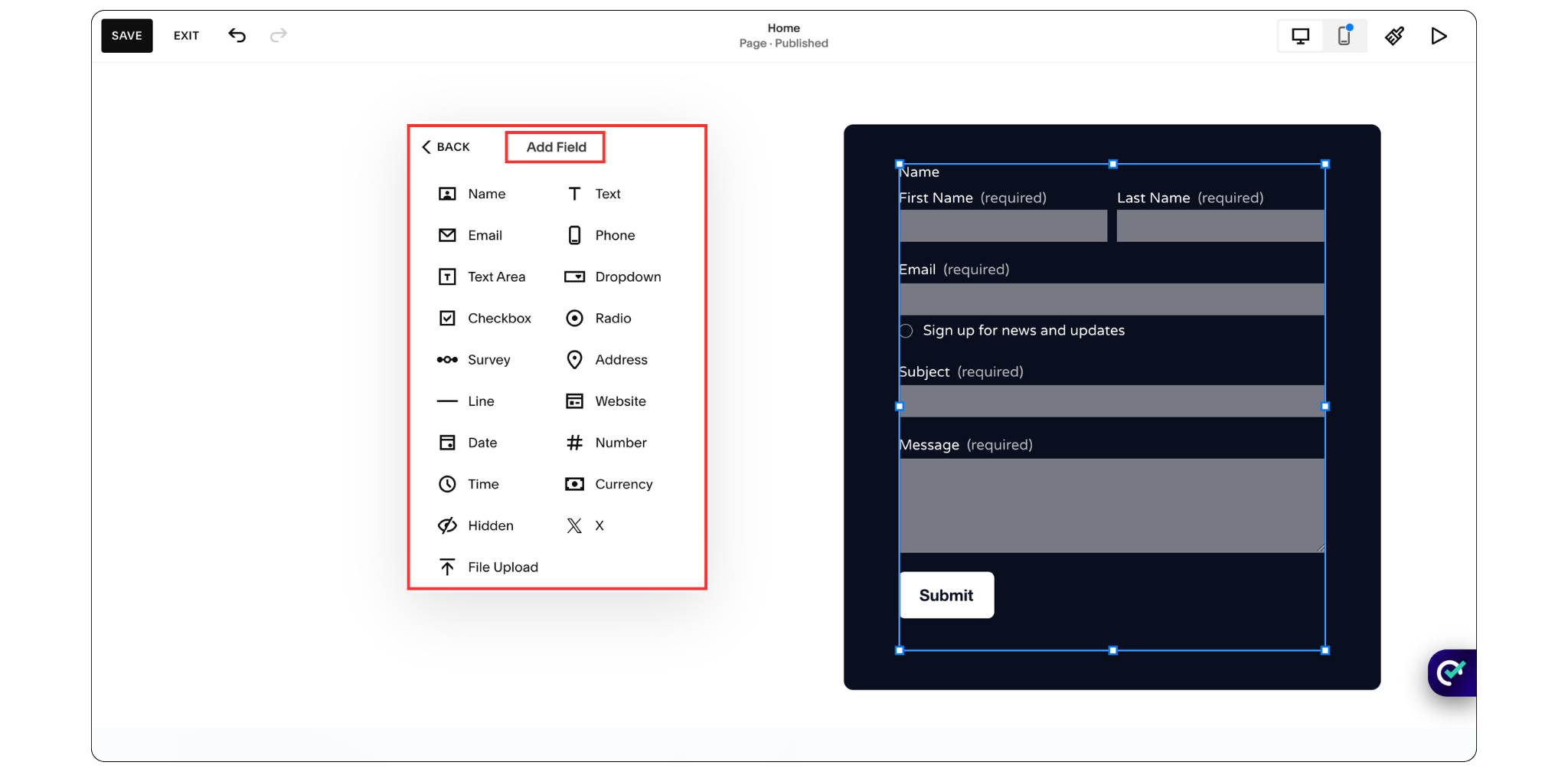
Click on the form and select the Edit option.
From here, you can:
Add new fields
Remove unnecessary fields
Rearrange field order
Add dropdown menus
Include checkboxes
Enable file uploads
Most websites only need a few essential fields:
Name
Email Address
Phone Number (optional)
Message
Keeping forms simple often results in more submissions.
Step 4: Set Up Email Notifications
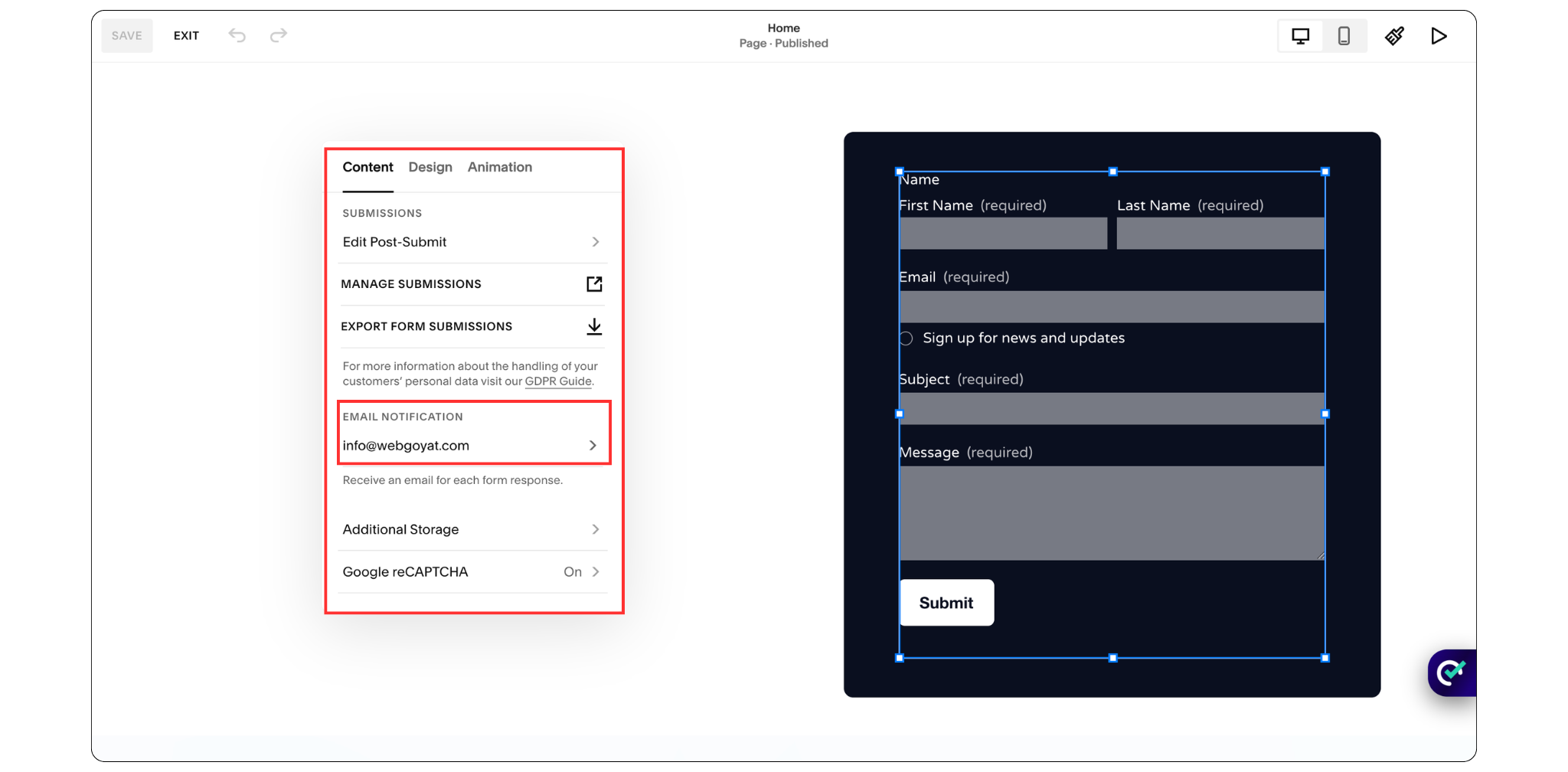
Open the Storage tab within the form settings.
Enter the email address where you want to receive form submissions.
You can also connect your form to:
Google Drive
Mailchimp
Zapier
This allows you to store leads and automate follow-up processes.
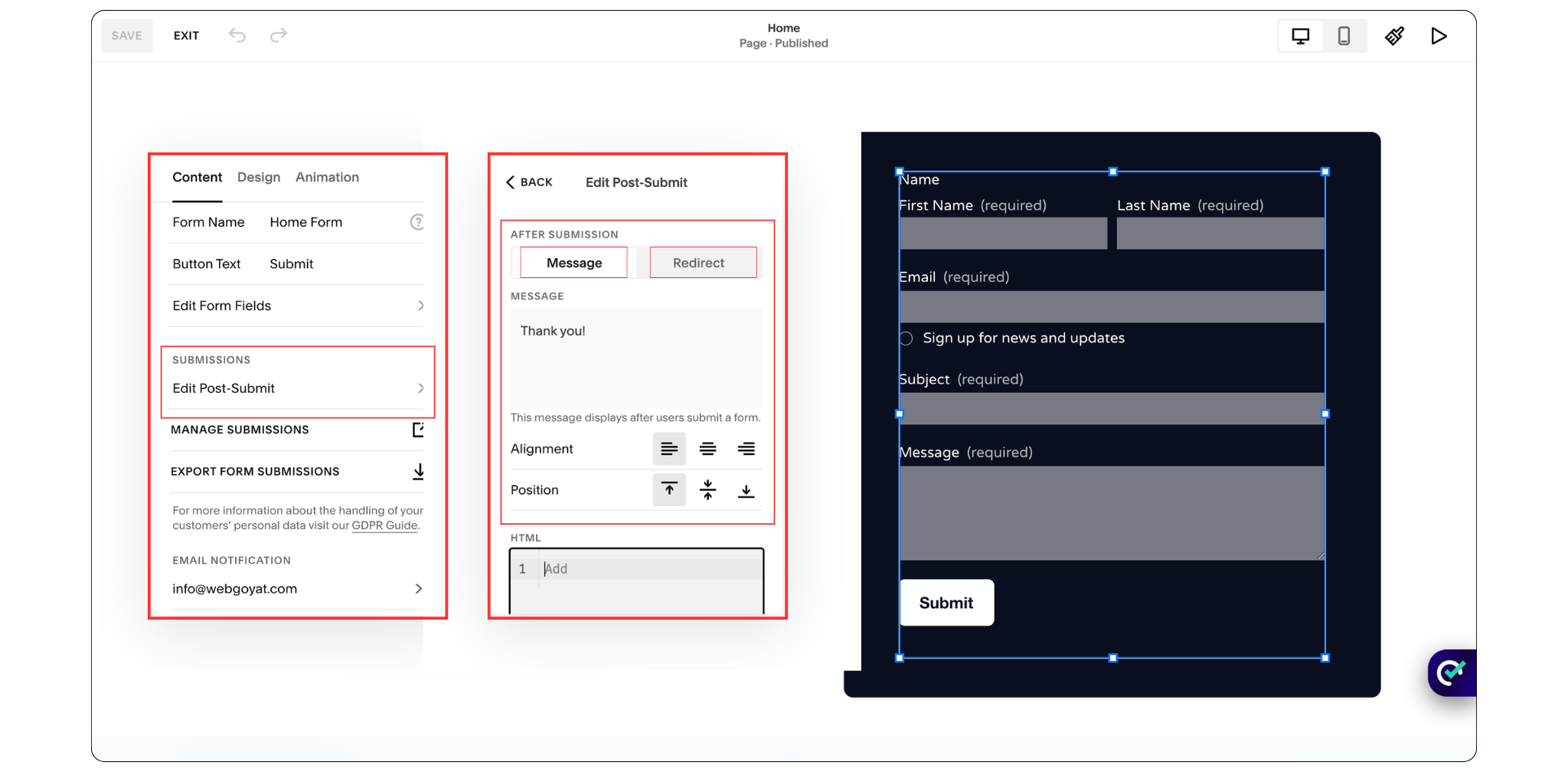
Step 5: Configure the Thank You Message
After a visitor submits your contact form, Squarespace allows you to customize what happens next. You can display a confirmation message directly on the page or automatically redirect visitors to another page on your website.
A simple thank-you message works well for most websites, especially if you simply want to confirm that the submission was successful.
Example:
"Thank you for contacting us. We'll get back to you as soon as possible."
If you'd like to create a more personalized experience, you can also redirect users to a dedicated Thank You page after form submission. This is useful for displaying additional information, promoting your services, sharing helpful resources, or encouraging visitors to book a consultation call.
Step 6: Save and Publish
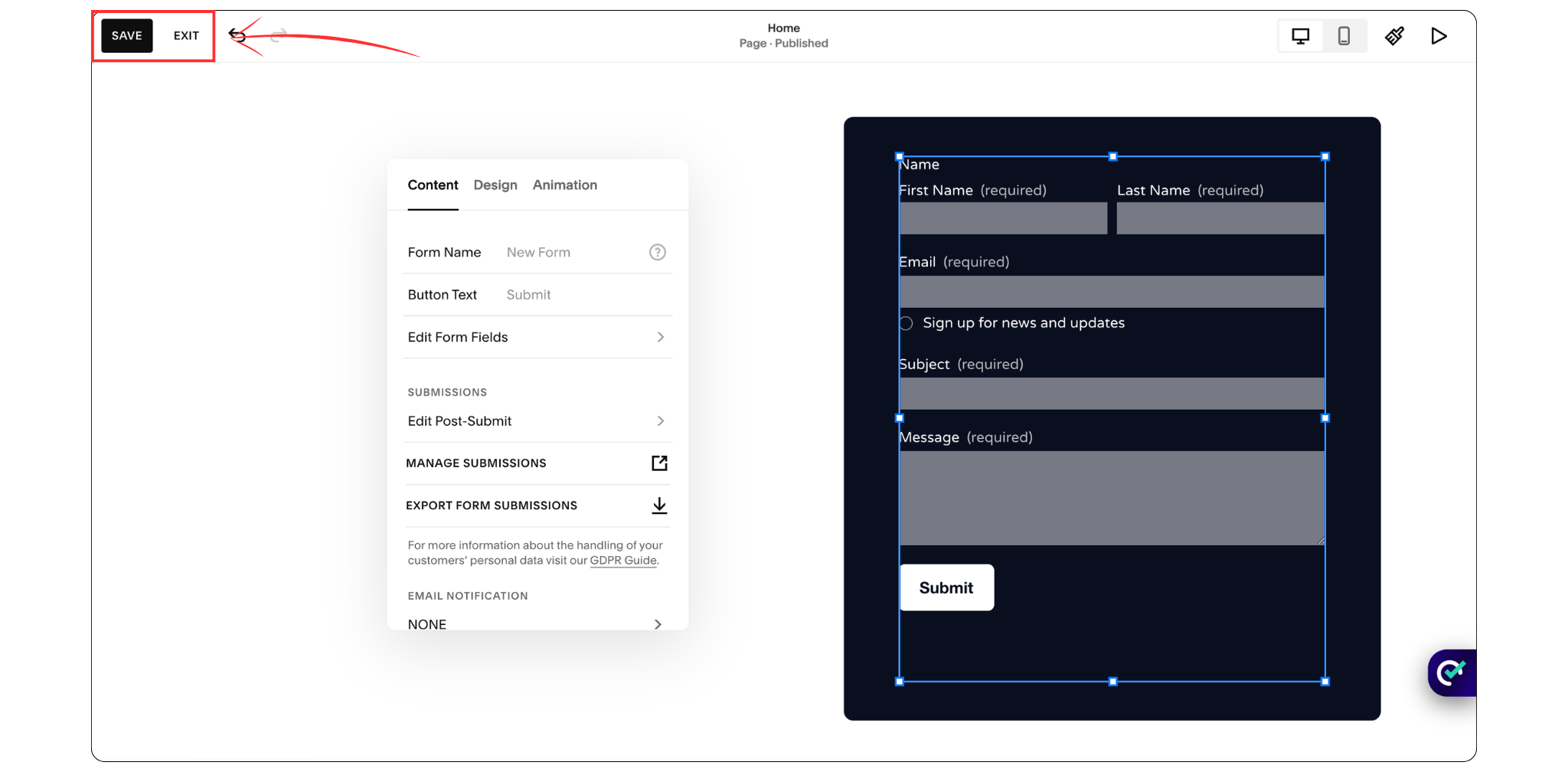
Once you're happy with the setup, click Save.
Your Squarespace contact form is now live and ready to receive inquiries.
How to Customize Your Squarespace Contact Form
Squarespace makes it easy to customize your form so it matches your website design and business needs.
You can:
Adjust field labels
Change button text
Add required fields
Customize spacing and layout
Match form styles to your brand
Add file upload options
Create dropdown selections for specific services
The goal is to keep the form clean, simple, and easy to complete.
Remember: Every additional field can reduce form submissions, so only ask for information you genuinely need.
Contact Form Best Practices for Squarespace Websites
A well-designed contact form can significantly improve conversions.
Here are some best practices to follow:
Keep It Short
Ask only for essential information.
Short forms generally receive more submissions than lengthy forms.
Use Clear Labels
Visitors should immediately understand what information you're requesting.
Place Forms Strategically
Contact forms often perform best on:
Contact pages
Service pages
Landing pages
Homepage sections
Frequently Asked Questions
What is a contact form on Squarespace?
A contact form in Squarespace is a built-in form block that allows website visitors to send messages directly through your website. Form submissions can be delivered to your email address or connected services such as Google Drive and Mailchimp.
Where does my Squarespace contact form go?
You can place a Squarespace contact form on any page of your website, including contact pages, service pages, landing pages, or homepage sections. Submitted responses are sent to the email address configured in your form settings.
What is a contact form used for?
A contact form is used to collect inquiries, customer questions, consultation requests, support requests, and lead information directly from website visitors.
Does Squarespace have fillable forms?
Yes. Squarespace includes built-in fillable forms through its Form Block feature. You can create custom forms with text fields, dropdown menus, checkboxes, file uploads, and other input options without using third-party tools.
Final Thoughts
Adding a contact form in Squarespace is one of the simplest ways to improve communication with your website visitors and generate more inquiries for your business. With Squarespace's built-in Form Block, you can create a professional contact form in just a few minutes without any coding experience.
By keeping your form simple, customizing it to match your brand, and following the best practices outlined in this guide, you can create a better user experience and make it easier for potential customers to get in touch.
If you're building a new website or looking to improve your existing Squarespace site, a well-designed contact form is a small feature that can make a big impact on your website's effectiveness and lead generation.
You May Also Like