
Create a Two-Column Drop-Down Menu in Squarespace
Navigation is one of the most important elements of website usability. When your menu is clean, structured, and easy to browse, visitors can quickly find what they’re looking for—improving their experience and engagement.
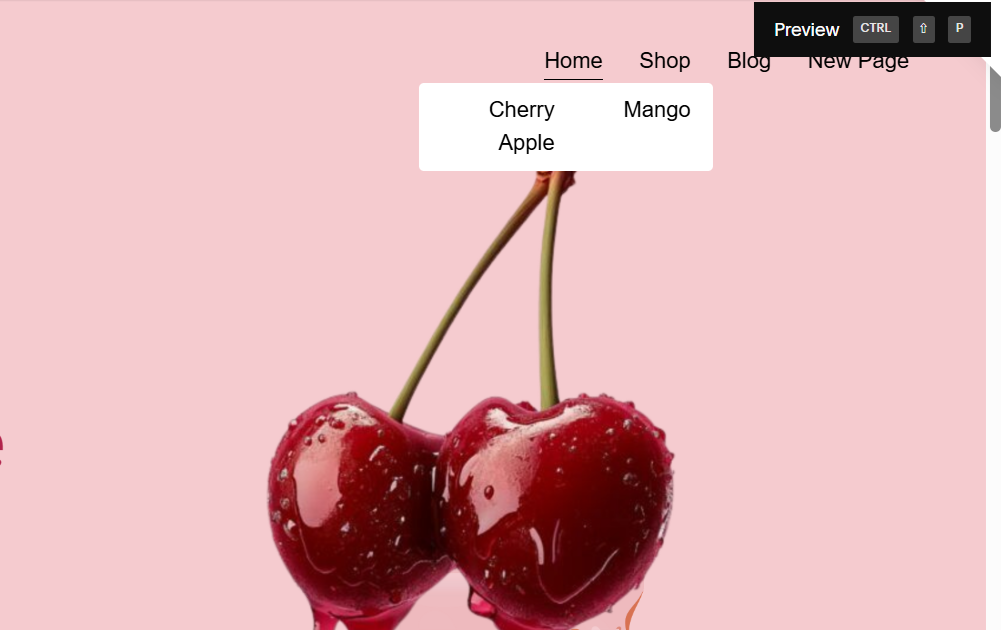
By default, Squarespace displays drop-down navigation in a single column. But if you have several pages under one menu folder, the list can get long and cluttered. In this quick guide, I’ll show you how to turn your drop-down into a beautiful two-column layout using a simple CSS snippet. No advanced coding skills needed!
Why Use a Two-Column Drop-Down Menu?
A multi-column menu can help you:
Display more links without overwhelming your visitor
Improve readability and navigation flow
Balance your header spacing for a cleaner visual structure
Reduce scrolling in dropdown folders with long lists
This upgrade is especially useful for sites with larger navigation menus—like eCommerce stores, membership portals, and resource libraries.
Step 1: Open the Custom CSS Panel
Log in to your Squarespace account and navigate to:
Design → Custom CSS
This is where you’ll add site-wide styling adjustments safely and easily.
Step 2: Add the CSS Snippet
Copy and paste the following CSS into the editor:
/* 2-Column Drop-down Menu */
div.header-nav-folder-content {
column-count: 2;
background: #ffffff !important; /* White background */
padding: 20px; /* Optional: spacing inside the dropdown */
border-radius: 4px; /* Optional: rounded corners */
}
/* Optional: Make dropdown links black for better visibility */
div.header-nav-folder-content a {
color: #000000 !important;
}
Step 3: Save and Preview
Click Save in the top-left corner of the CSS panel.
Refresh your site and hover over your drop-down navigation. You should now see your links displayed in two clean columns.
If it doesn’t appear right away, try refreshing again or clearing your browser cache.
Optional: Style and Customize
Depending on your theme and design, you can adjust:
Column spacing
Font size and alignment
Hover or background styles
For full styling flexibility (including adding icons, spacing adjustments, and animations), I also offer a full drop-down menu enhancement plugin—giving you complete control over your navigation design.

Your Designer
I'm Ankush, a Squarespace web designer and founder of webgoyat. I have worked with all types of businesses and organizations from preschools to publishing companies to chiropractic clinics and everything in between. If you want to discuss a potential project, you can email me at info@webgoyat.com or get in touch with me here. Alternatively, you can book in a free 15-minute consultation call here.
